
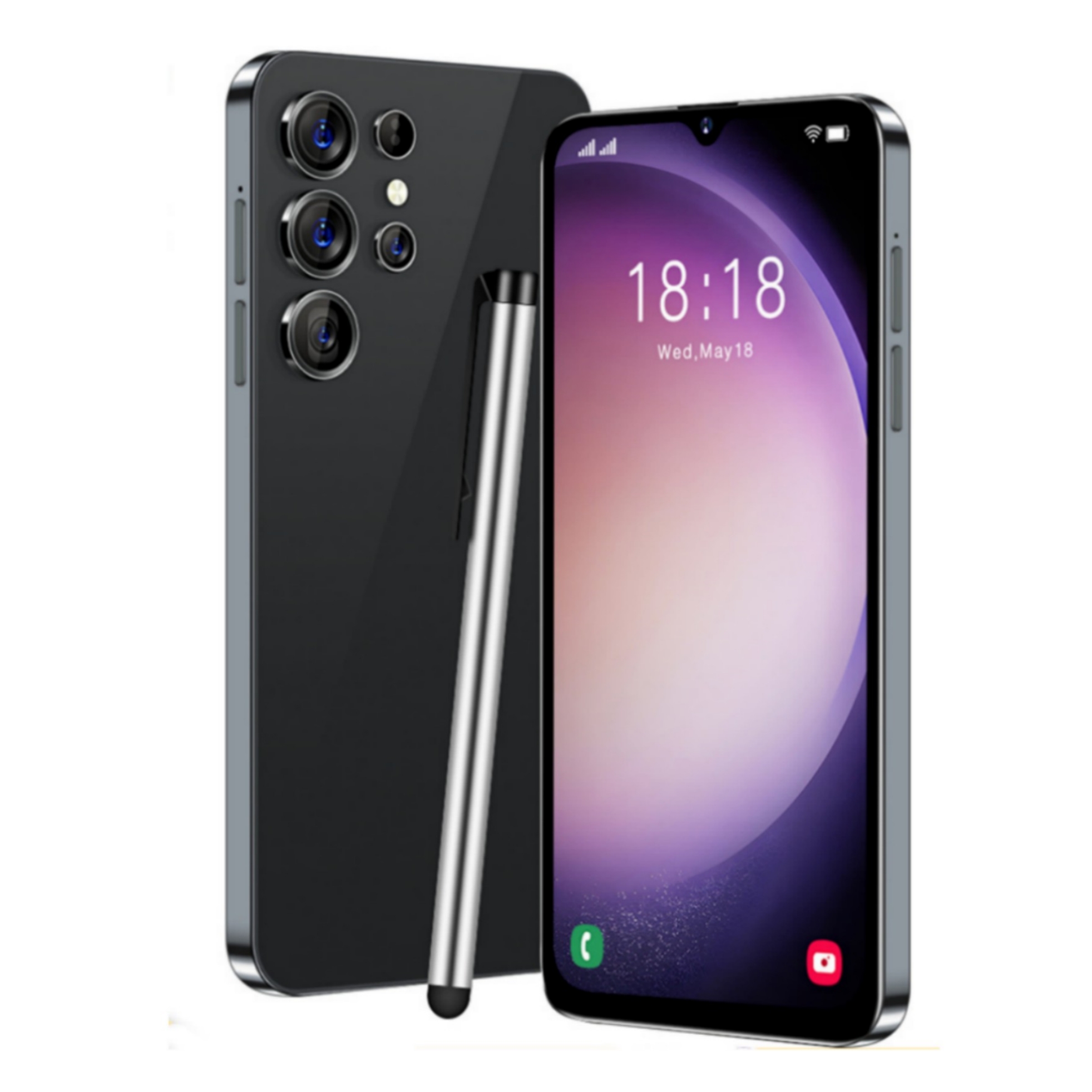


Black US Plug S23Ultra Smartphone with 6.5-inch Display, MTK6580A Quad-Core, 1GB RAM, 16GB ROM, 3000mAh Battery, and Face Recognition,
HOW TO USE
Step 1: Charging
- Plug the US plug into a power outlet.
- Connect the included charging cable to the smartphone.
- Insert the other end of the charging cable into the power adapter.
- Connect the power adapter to the US plug.
- Leave the smartphone connected to the charger until it reaches full charge.
Step 2: Powering On/Off
- To power on, press and hold the power button located on the right side of the smartphone.
- To power off, press and hold the power button until the power options appear on the screen.
- Select the “Power Off” option to shut down the smartphone.
Step 3: Inserting SIM and TF Card
- Locate the SIM card tray on the left side of the smartphone.
- Use the included SIM card ejector tool to eject the SIM card tray.
- Place the SIM card(s) into the designated slots on the SIM card tray.
- If desired, insert a TF card into the TF card slot on the SIM card tray.
- Insert the SIM card tray back into the smartphone.
Step 4: Using Face Recognition
- Go to the Settings menu on the smartphone.
- Select the “Face Recognition” option.
- Follow the prompts to set up your face for recognition.
- Once set up, the smartphone will automatically recognize your face and unlock.
Step 5: Taking Photos and Selfies
- Open the camera app on the smartphone.
- To take a photo, aim the rear camera at the subject and press the capture button.
- To take a selfie, switch to the front camera by tapping the camera icon with two arrows.
- Position the smartphone accordingly and press the capture button.
Step 6: Using Apps and Features
- Explore the home screen and app drawer to find installed apps.
- Tap on an app icon to launch the respective app.
- Use the touchscreen to navigate through apps and features.
- Refer to the user manual for specific instructions on using individual apps.
, ,





Reviews
There are no reviews yet.