
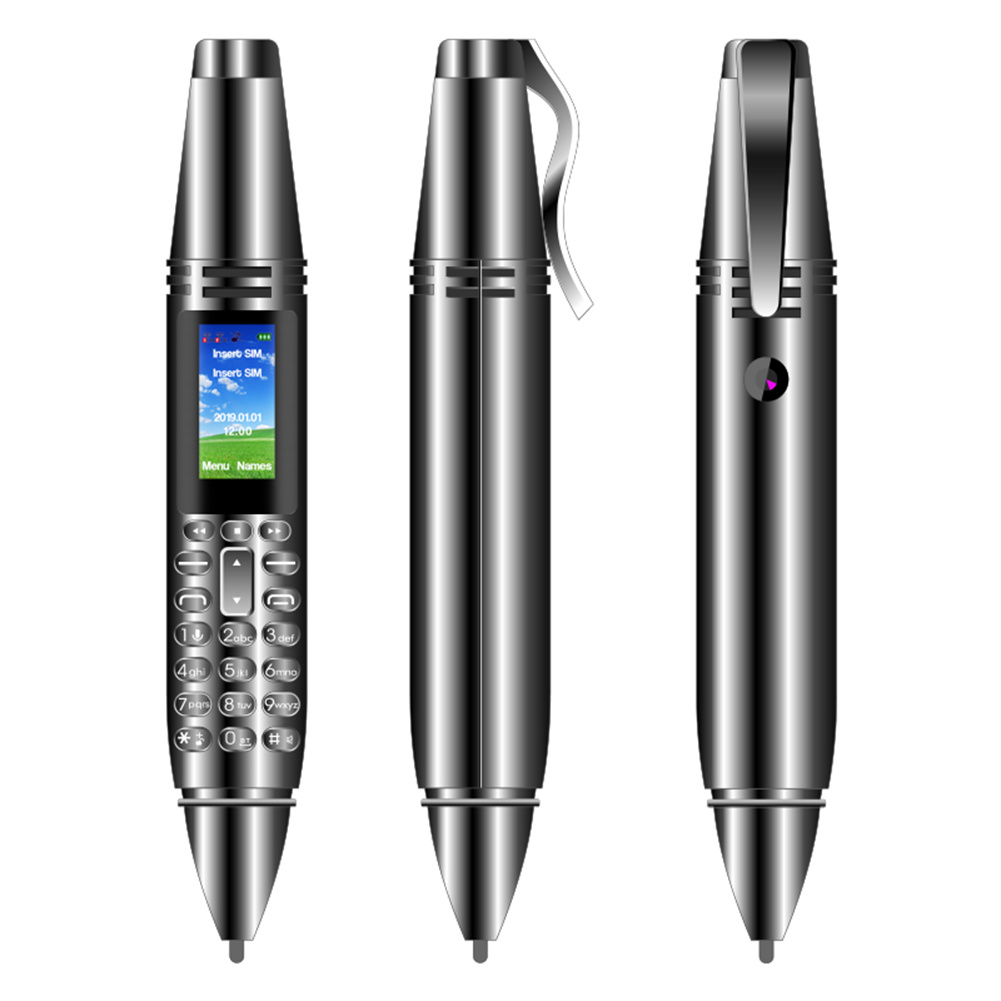


Black AK007 Pen Type Mini Mobile Phone with 0.96 Inch Screen, GSM, Bluetooth, Camera, Dialer, Voice Recorder,
How to Use the Ak007 Pen Type Mini Mobile Phone
Step 1: Power On/Off
- To power on the device, press and hold the power button until the screen lights up.
- To power off the device, press and hold the power button and select “Power Off” from the options.
Step 2: Inserting SIM Cards
- Remove the pen cap to access the SIM card slot.
- Insert your SIM card into the appropriate slot, ensuring it is properly aligned.
- Slide the SIM card back into the slot and replace the pen cap.
- Repeat the process for the second SIM card if desired.
Step 3: Charging the Device
- Connect the included charging cable to the device’s charging port.
- Connect the other end of the cable to a power source, such as a computer or wall adapter.
- The device will begin charging automatically. A battery icon will appear on the screen to indicate the charging progress.
- Once fully charged, disconnect the charging cable from the device.
Step 4: Making a Phone Call
- Ensure the device is powered on and a SIM card is inserted.
- On the device’s home screen, select the phone icon to access the dialer.
- Enter the phone number using the keypad.
- Press the call button to initiate the call.
- Use the microphone and speaker located on the device to communicate during the call.
Step 5: Taking Photos
- Access the camera function either through the device’s home screen or by pressing the camera shortcut button.
- Use the device as a traditional camera, holding it steady and framing the desired subject within the viewfinder.
- Press the capture button to take a photo.
- Review the photo by selecting the preview icon.
Step 6: Recording Audio
- Access the voice recorder function either through the device’s home screen or by pressing the recording shortcut button.
- Position the device close to the sound source for optimal recording.
- Press the record button to start recording.
- Press the stop button to stop recording.
- Review the recorded audio by selecting the playback icon.
Step 7: Using Bluetooth
- Ensure the device is powered on and Bluetooth is enabled.
- Access the Bluetooth settings either through the device’s settings menu or by pressing the Bluetooth shortcut button.
- Enable Bluetooth and ensure the device is discoverable.
- Pair the device with a compatible Bluetooth device, such as a headset or speaker, by following the pairing instructions provided by the Bluetooth device.
- Once paired, the device will automatically connect to the paired Bluetooth device when within range.
, ,






Reviews
There are no reviews yet.