
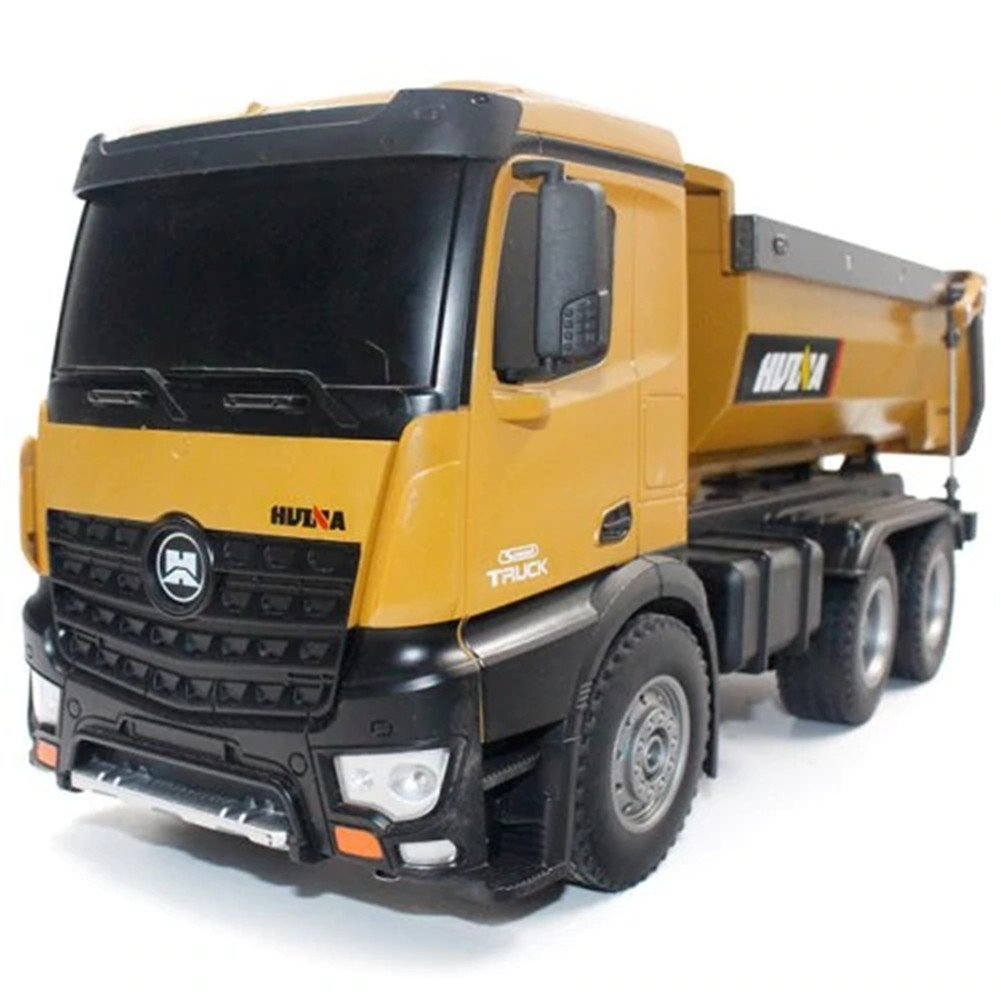
Huina 1573 RTR 2.4GHz 10 Channel 1:14 RC Truck with Dumping Function, Metal Body, LED Lights, and Remote Control Toy,
How to Use the Huina 1573 RTR 2.4GHz 10 Channel 1:14 Remote Control RC Truck Dump
Package Contents:
- 1 Huina 1573 RC Truck Dump
- 1 2.4GHz Remote Control
- 1 7.2V 400mA Battery
- 1 USB Charging Cable
Charging the Battery:
- Connect the USB charging cable to the battery.
- Plug the other end of the cable into a USB power source.
- The battery LED indicator will turn on, indicating that the battery is charging.
- Once fully charged (approximately 2 hours), the LED indicator will turn off.
- Disconnect the charging cable from the battery.
Turning On the Truck:
- Place the fully charged battery into the battery compartment of the truck.
- Press the power button on the truck to turn it on.
- The LED lights on the truck will turn on, indicating that it is powered on.
Using the Remote Control:
- Insert the required AA batteries into the remote control.
- Turn on the remote control using the power switch.
- The LED indicator on the remote control will turn on, indicating that it is powered on.
- The remote control and the truck will automatically pair with each other.
Controlling the Truck:
- Use the joystick on the remote control to move the truck forward, backward, turn left, or turn right.
- Use the respective buttons on the remote control to raise or lower the dump of the truck.
- The sound and light effects can be controlled using the buttons on the remote control.
Auto Demonstration Mode:
- Press the Auto Demonstration button on the remote control to activate this mode.
- The truck will perform a pre-programmed demonstration of its functions.
Important Notes:
- Always supervise children while operating the truck.
- Do not operate the truck near water or in wet conditions.
- Avoid operating the truck on uneven or rough surfaces to prevent damage.
- Charge the battery fully before the first use and after each use.
Enjoy using your Huina 1573 RTR 2.4GHz 10 Channel 1:14 Remote Control RC Truck Dump!
, ,


Reviews
There are no reviews yet.