
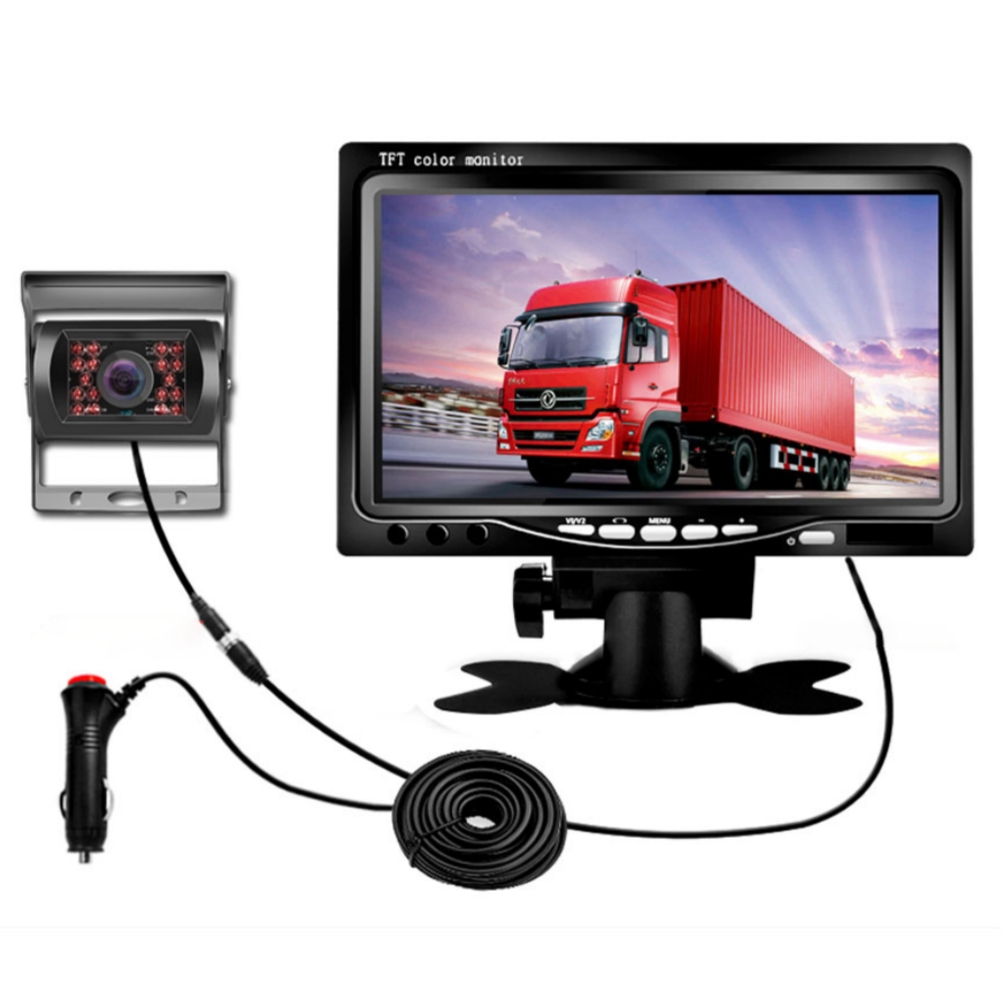
Black 7-inch LCD Screen Car Backup Monitor with Reversing Image Display and Rear View Auxiliary Device,
How to Use:
1. Installation
- Choose a suitable location for the monitor display unit in your vehicle.
- Ensure that the selected location provides clear visibility without obstructing your view while driving.
- Use the provided bracket or adhesive to securely mount the monitor display unit in place.
- Connect the power cable of the monitor display unit to the vehicle’s cigarette lighter socket.
- Proceed to the next step for camera installation.
2. Camera Installation
- Choose a suitable location for the camera at the rear of your vehicle. The camera should provide a clear view of the area behind.
- Ensure that the selected location is secure and won’t be easily damaged.
- Mount the camera using the provided brackets or adhesive. Adjust the angle for the desired view.
- Connect the camera’s power cable to the reverse light’s power source or use the specified connection method for your vehicle.
- Proceed to the next step for connecting the camera to the monitor display.
3. Connecting Camera to Monitor Display
- Locate the appropriate video cable provided with the product.
- Connect one end of the video cable to the camera’s video output port.
- Connect the other end of the video cable to the monitor display’s video input port.
- Ensure that the cable is securely connected.
- Power on your vehicle and switch to the reverse gear for the monitor display to show the camera’s video feed.
4. Adjusting Monitor Display Settings
- Once the camera’s video feed is displayed on the monitor, use the buttons or touch screen controls to adjust brightness, contrast, and other settings as desired.
- Experiment with different settings to achieve optimal visibility.
5. Maintenance and Safety Considerations
- Regularly clean the camera lens and monitor display screen to ensure clarity.
- Do not immerse the equipment in water or expose it to extreme temperatures.
- Check the connections periodically to ensure they are secure.
- Always drive with caution and use the rear view camera as an additional aid, not a replacement for proper mirror usage and safe driving practices.
- Consult the product manual and manufacturer’s instructions for further information and troubleshooting.
Enjoy the enhanced visibility and improved driving safety with your new Car Back Up Monitor!
, ,


Reviews
There are no reviews yet.