
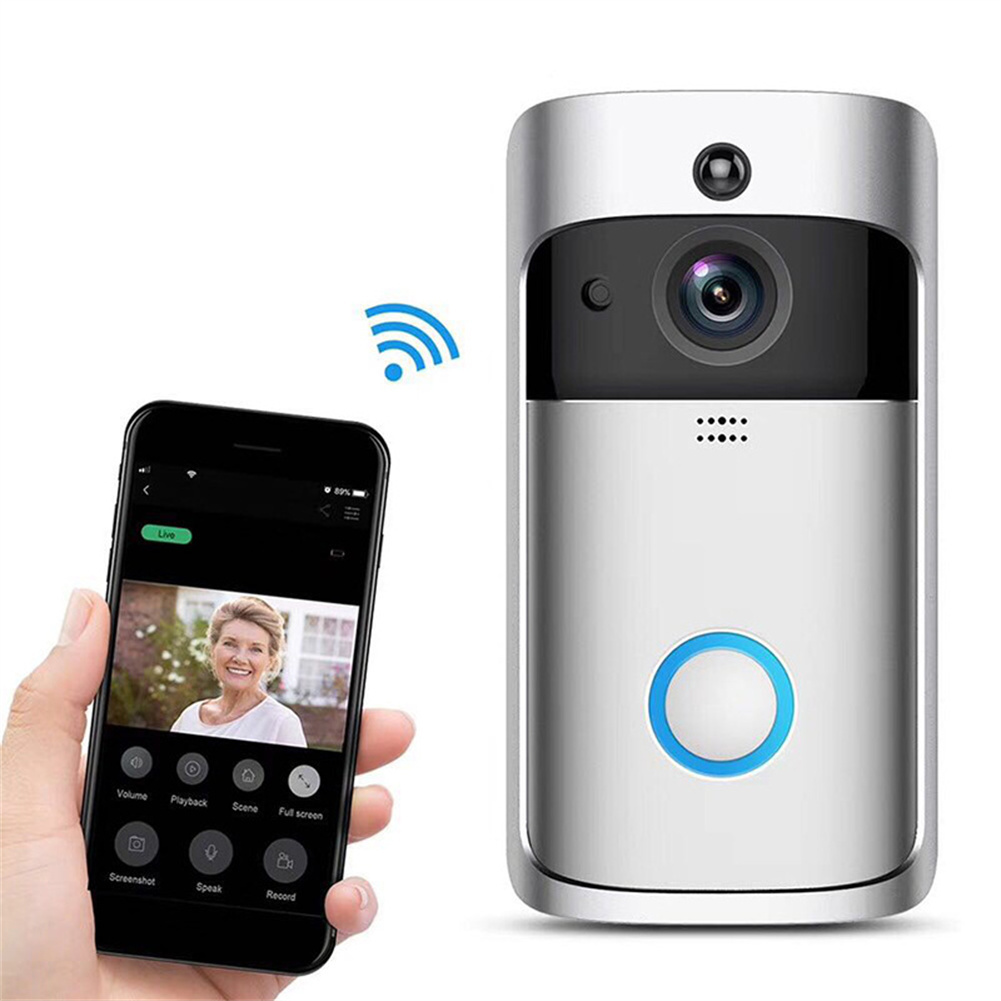
Silver V5 Wireless Smart Video Doorbell Camera – HD Wifi Doorbell with Human Detection, Anti-Theft Alarm,
How to Use the V5 Wireless Smart Video Doorbell Camera
1. Connecting to Wi-Fi
- Make sure your phone or tablet is connected to a 2.4GHz Wi-Fi network.
- Install the doorbell camera near your front door.
- Open the settings on your phone and go to Wi-Fi settings.
- Select the Wi-Fi network that starts with “V5 Doorbell”.
- Enter the password shown on the doorbell camera’s screen.
- Wait for the doorbell camera to connect to the Wi-Fi network.
2. Viewing Live Video
- Open the V5 Doorbell app on your phone or tablet.
- Make sure you are connected to the same Wi-Fi network as the doorbell camera.
- Select the doorbell camera from the list of devices.
- If someone rings the doorbell, you will receive a notification on your phone.
- Tap the notification to open the live video feed.
3. Two-Way Audio
- When viewing the live video feed, tap the microphone icon to enable two-way audio.
- Speak into your phone or tablet to communicate with the person at the door.
- Tap the microphone icon again to turn off the audio.
4. Night Vision
- The doorbell camera has built-in infrared sensors for night vision.
- When it is dark, the camera will automatically switch to night vision mode.
- You can still view the live video feed even in low light conditions.
5. Cloud Storage
- The doorbell camera supports cloud storage for video recordings.
- You will receive 1 month of free cloud storage with your purchase.
- To enable cloud storage, open the app and go to the settings menu.
- Follow the instructions to set up your cloud storage account.
6. Power Options
- The doorbell camera can be powered by either 3×18650 batteries or a DC18V 500mAh power adapter.
- To install batteries, open the camera’s battery compartment and insert the batteries.
- To use a power adapter, connect it to the camera’s DC input port.
- Make sure the camera is properly powered to ensure all features work correctly.
, ,


Reviews
There are no reviews yet.