

AMD Quad Core PC Computer with 4GB RAM, DVDRW, WIFI, Windows XP, 32-bit, and Parallel Serial
$940.00
- AMD Quad Core processor with 3.0Ghz speed
- 4GB DDR3 1333 Mhz RAM
- 500GB SATA Hard Drive
- AMD Radeon onboard Graphics
- 5.1 channel Sound Chipset
- GigaByte Network Ethernet
- Wireless N 150 Wifi
- DVDRW Drive
- 6 x USB ports
- 1x Parallel port and 1x Serial port
- Windows XP Pro (32bit) operating system
- Integrated/On-Board Graphics
- USB 2.0 connectivity
- Desktop type
- Maximum RAM capacity of 4GB
- Black color
- Bundled item: Network Card
- Suitable for casual computing, industrial, and office use
Buy more, save more
Buy 2–4 of this item and save 5%.
Buy 5 or more of this item and save 10%.
Discount is automatic in your cart on regular-priced items. It cannot be combined with coupon codes or sale prices.
Buy 2–4 of this item and save 5%.
Buy 5 or more of this item and save 10%.
Discount is automatic in your cart on regular-priced items. It cannot be combined with coupon codes or sale prices.
Country suggested using IP or browser language; you can change it. Shipping is confirmed at checkout.
Description
AMD Quad Core PC Computer with 4GB RAM, DVDRW, WIFI, Windows XP, 32-bit, and Parallel Serial,
How to Use the AMD Quad Core 4GB DVDRW WIFI Windows XP PC Computer 32 bit w/Parallel Serial
Table of Contents
- Setting Up the Computer
- Navigating the Windows XP Pro Interface
- Connecting to the Internet
- Using the DVDRW Drive
- Connecting External Devices
1. Setting Up the Computer
- Place the computer on a stable and well-ventilated surface.
- Connect the power cable to the computer and plug it into a power outlet.
- Connect a keyboard and mouse to the available USB ports.
- Connect a monitor to the VGA or HDMI port.
- Turn on the computer by pressing the power button.
2. Navigating the Windows XP Pro Interface
- After the computer boots up, you will see the Windows XP Pro desktop.
- To open programs, click on the “Start” button located at the bottom-left corner of the screen.
- Use the mouse to navigate the menus and select the desired programs or options.
- To shut down the computer, click on the “Start” button, select “Shutdown,” and choose “Turn Off Computer.”
3. Connecting to the Internet
- Ensure that your wireless network is available and click on the wireless icon located on the taskbar at the bottom-right corner of the screen.
- Select your wireless network from the list and enter the password if prompted.
- Wait for the computer to connect to the network.
- Once connected, you can open a web browser and start browsing the internet.
4. Using the DVDRW Drive
- To insert a DVD or CD, push the disc gently into the DVDRW drive until it clicks into place.
- To open a disc, right-click on the DVDRW drive icon in “My Computer” and select “Eject.”
- To close the disc tray, gently push it back into the DVDRW drive until it is fully closed.
5. Connecting External Devices
- If you need to connect a USB device such as a printer or external hard drive, locate an available USB port on the computer.
- Insert the USB connector into the port until it is firmly connected.
- Windows XP will automatically detect the device and install the necessary drivers.
- You can then use the connected device as required.
- After the computer boots up, you will see the Windows XP Pro desktop.
- To open programs, click on the “Start” button located at the bottom-left corner of the screen.
- Use the mouse to navigate the menus and select the desired programs or options.
- To shut down the computer, click on the “Start” button, select “Shutdown,” and choose “Turn Off Computer.”
3. Connecting to the Internet
- Ensure that your wireless network is available and click on the wireless icon located on the taskbar at the bottom-right corner of the screen.
- Select your wireless network from the list and enter the password if prompted.
- Wait for the computer to connect to the network.
- Once connected, you can open a web browser and start browsing the internet.
4. Using the DVDRW Drive
- To insert a DVD or CD, push the disc gently into the DVDRW drive until it clicks into place.
- To open a disc, right-click on the DVDRW drive icon in “My Computer” and select “Eject.”
- To close the disc tray, gently push it back into the DVDRW drive until it is fully closed.
5. Connecting External Devices
- If you need to connect a USB device such as a printer or external hard drive, locate an available USB port on the computer.
- Insert the USB connector into the port until it is firmly connected.
- Windows XP will automatically detect the device and install the necessary drivers.
- You can then use the connected device as required.
- To insert a DVD or CD, push the disc gently into the DVDRW drive until it clicks into place.
- To open a disc, right-click on the DVDRW drive icon in “My Computer” and select “Eject.”
- To close the disc tray, gently push it back into the DVDRW drive until it is fully closed.
5. Connecting External Devices
- If you need to connect a USB device such as a printer or external hard drive, locate an available USB port on the computer.
- Insert the USB connector into the port until it is firmly connected.
- Windows XP will automatically detect the device and install the necessary drivers.
- You can then use the connected device as required.
, , Custom, Whitebox
| Weight | 5 lbs |
|---|---|
| Operating System | Windows XP |
| Graphics Processing Type | Integrated/On-Board Graphics |
| Connectivity | USB 2.0 |
| Type | Desktop |
| Processor Speed | 3.00 GHz |
| Maximum RAM Capacity | 4 GB |
| Color | |
| Hard Drive Capacity | 500 GB |
| Storage Type | HDD (Hard Disk Drive) |
| RAM Size | 4 GB |
| Brand | Custom, Whitebox |
| Most Suitable For | Casual Computing, Industrial, Office |
| Bundled Items | Network Card |
| Processor | AMD A8 |
| Memory | 4 GB |
| Operating System Edition | Professional |
| Hardware Connectivity | USB 2.0 |
Only logged in customers who have purchased this product may leave a review.
Special deals for you

New C-280T Wire Pipe Numbering Machine U Disk Import Connect Computer For Heat-shrinkable Tube Tape Label typewriter printing
Original price was: $604.02.$600.31Current price is: $600.31.
Add to cart
Wire Marker ID Printer Pvc Pipe Marking Machine USB Drive Import USB Connection PC Computer Electronic Engraving Machine C-280T
Original price was: $600.12.$596.23Current price is: $596.23.
Add to cart
WAINLUX K6 3000mW Mini CNC Laser Engraver
Original price was: $128.37.$127.16Current price is: $127.16.
Add to cart
Lville Android 13 Tablet - 10 inch Octa-Core Tablet with 8GB RAM, 128GB ROM, 1TB TF Expandable Storage, Bluetooth 5.0, WiFi 6, Fast Charging, Dual Camera - Black
Original price was: $4,270.00.$235.00Current price is: $235.00.
Add to cartPopular items in this category

Exclusive Access Modern Two-Wheel 3000W Electric Motorcycle with Racing Design for Adults
$2,133.00
Add to cart
Unlock Your Potential Hiseeu 4MP/5MP PTZ IP Camera Outdoor Security AI Human Detection H.265X Wireless WiFi Video Surveillance Cameras iCsee P2P
$16.10
Add to cart
Empowering Solutions Hiseeu 4MP+4MP Dual Lens Wifi PTZ IP Camera 2.8+12mm 8X Zoom CCTV Video Surveillance Camera Color Night Vision Ai Human Cam
$16.10
Add to cart
Best HD Auto Zoom Photochromic Reading Glasses for Business with Near Far Anti-blue Light for Presbyopia
$16.10
Add to cartSimilar items you might like

Best Deal Adjustable Intensity Electric Muscle Stimulation Neck Therapy Device with 6 Modes - Portable Pain Relief Tool with Ergonomic Design
$16.10
Add to cart
Uncover Your True Potentialy Men's Anti-Blue Light TR90 Reading Glasses with High Definition, Ultralight Sport Design and Non-Slip Feature - Ideal for Presbyopia and Hyperopia up to +3.5 Diopters
$16.10
Add to cart
Your Perfect Match Outdoor Driving and Fishing Sunglasses with Photochromic Polarized Lenses, UV400 Protection, Anti-Glare, and Case
$16.10
Add to cart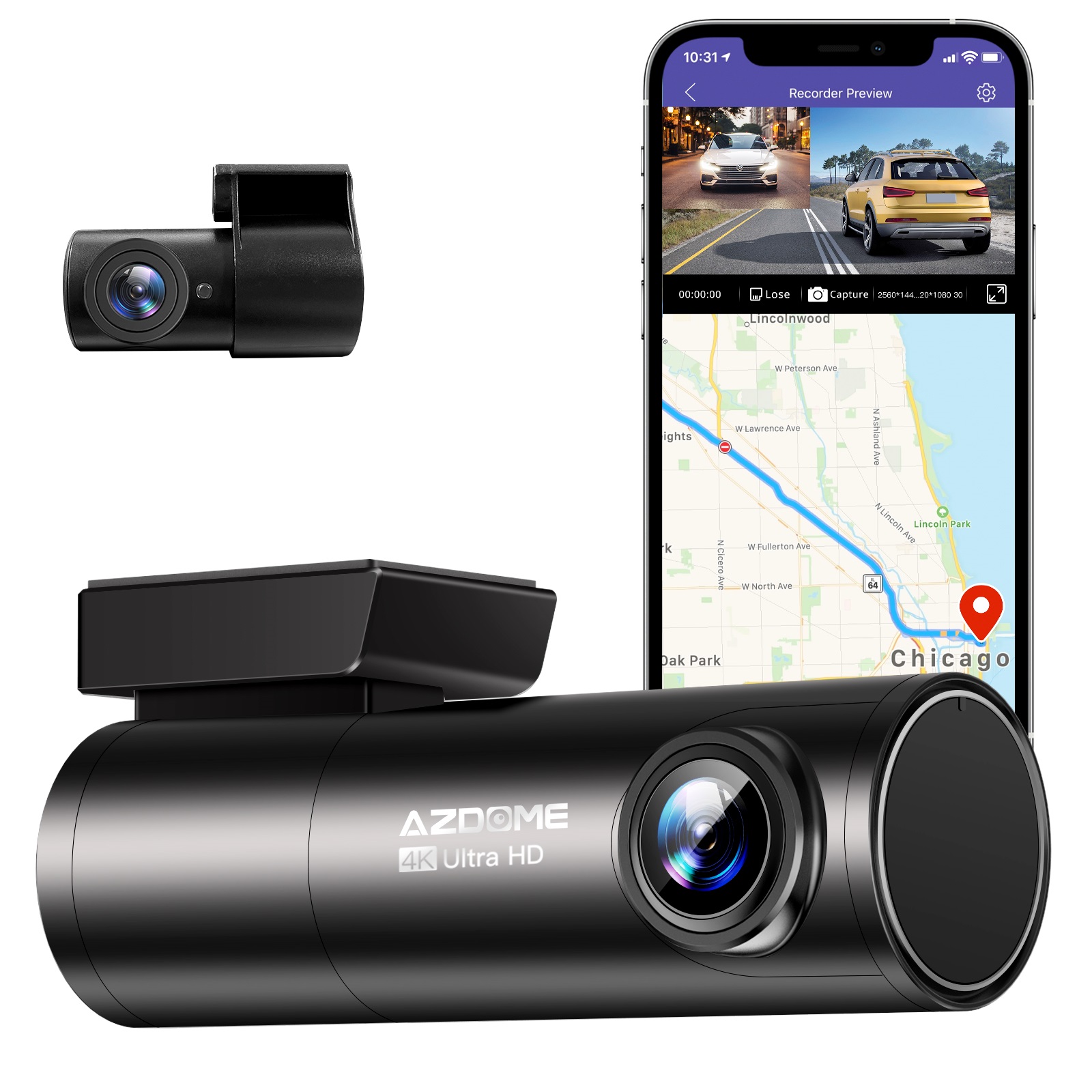
Instant Gratification Azdome HD 1080P Dash Cam Wifi Gps Recorder G-sensor Dashcam Black
$247.10
Add to cartProducts related to this item

Apple iPad 7th Generation (2019) - 32GB WiFi Version - Multiple Color Options
$223.40
Add to cart
Apple iPad Mini 2 A1489 16GB Wi-Fi iOS 12.5.7 Space Gray ME779LL/A 7.9-inch
$133.90
Add to cart
Apple iPad 5th Generation 9.7" 32GB/128GB Gray/Silver Wi-Fi/Cellular Unlocked with Good Condition
$246.70
Add to cart
JUHOR DDR4 RAM Memory - 8GB or 16GB - High-Performance Memory for Computers and Laptops - 2666MHz Speed - Low-Voltage 1.2V RAMs
$16.10
Add to cartProducts you may also like
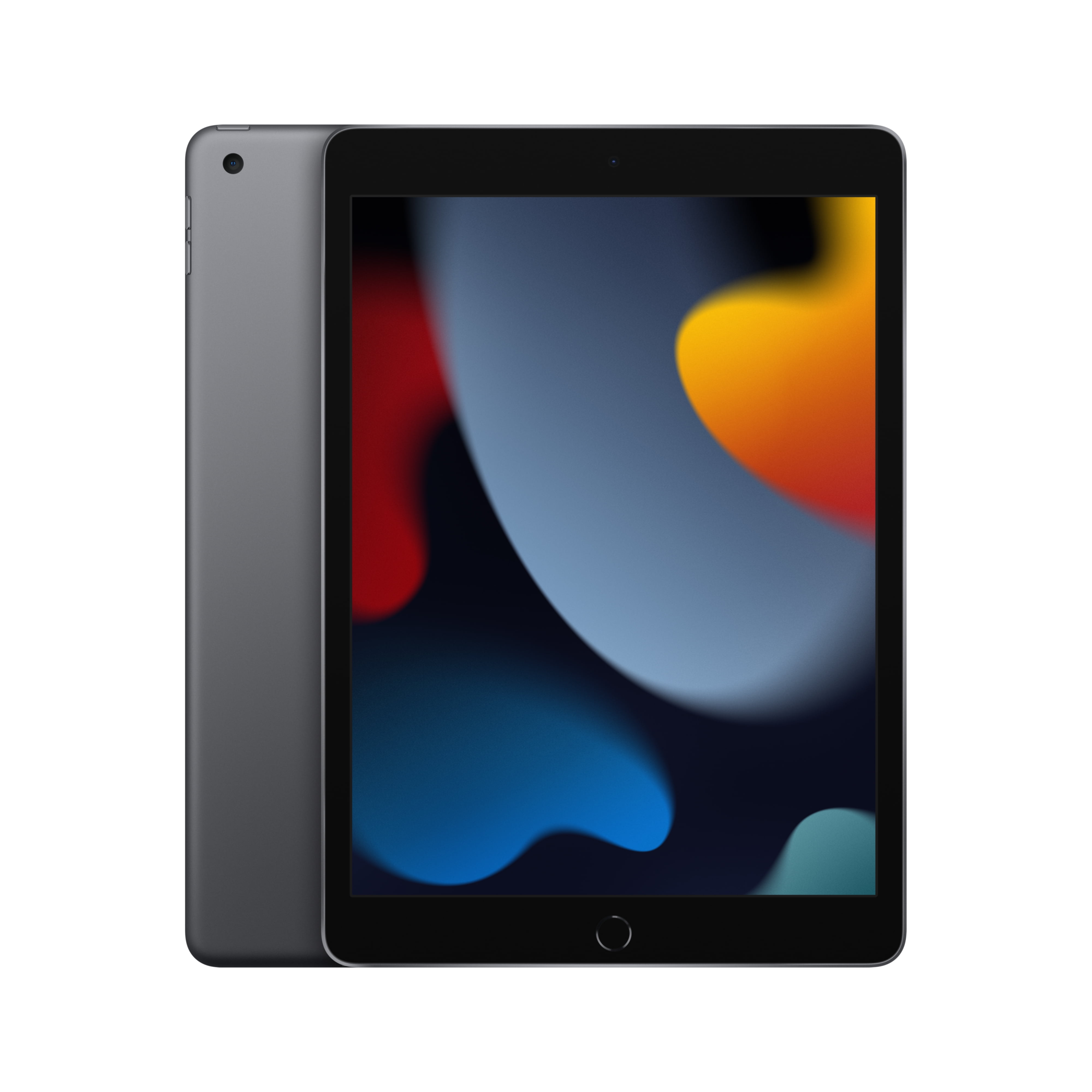
Step-by-Step Buying Guide: Choosing the Perfect Apple 10.2-inch iPad Wi-Fi 64GB - Space Gray (9th Generation) for You
$249.00
Add to cart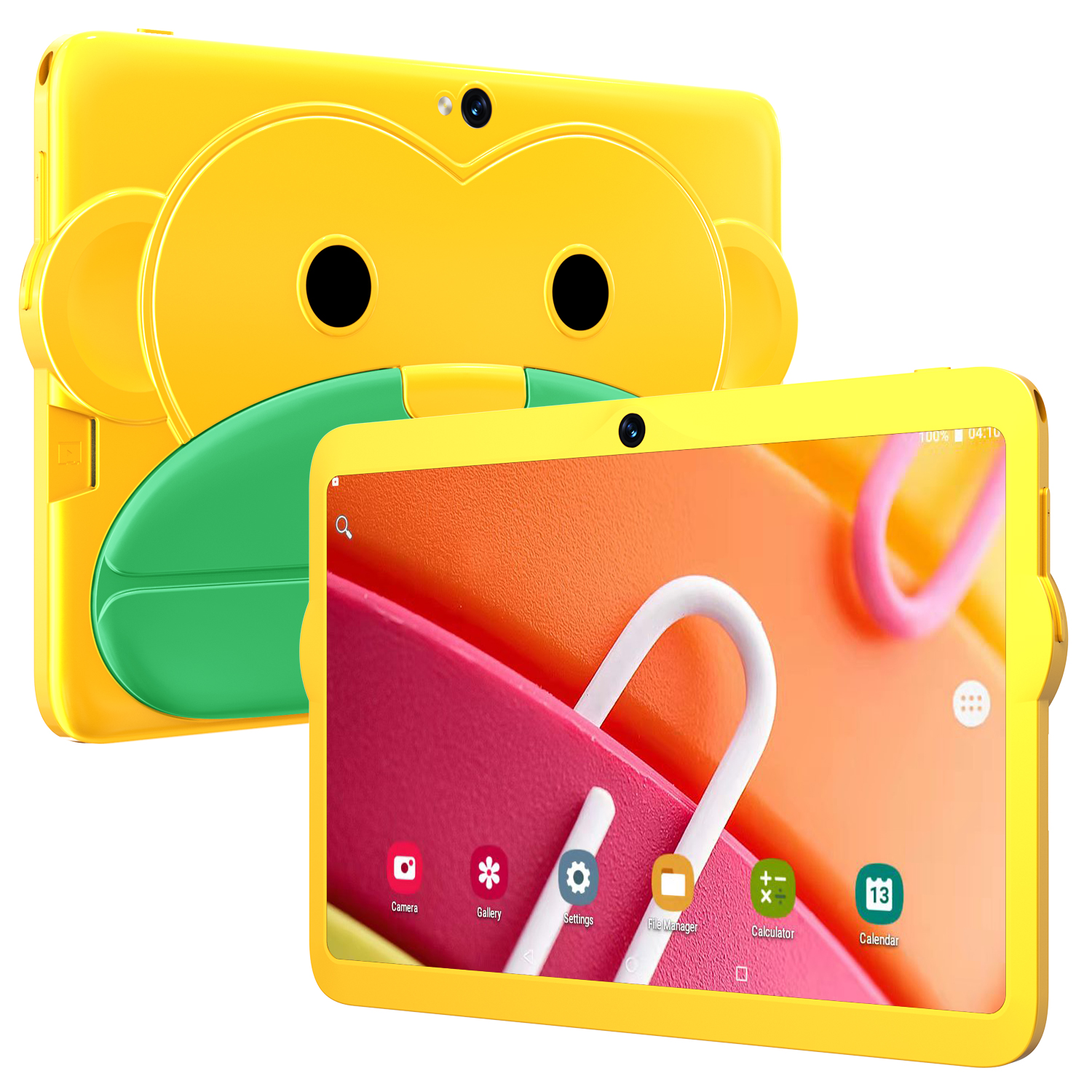
Yellow US Plug Kids Tablet - 7.1 Inch, MT6592 Octa Core, 2GB RAM, 16GB ROM, Android 5.1, 1280 x 800 Screen, 3000mah Battery
$125.70
Add to cart
N-One NPad X MTK8781(G99) Octa Core Tablet with 16GB RAM, 128GB ROM, 10.95 Inch 2K Screen, and Android 13
$16.10
Add to cart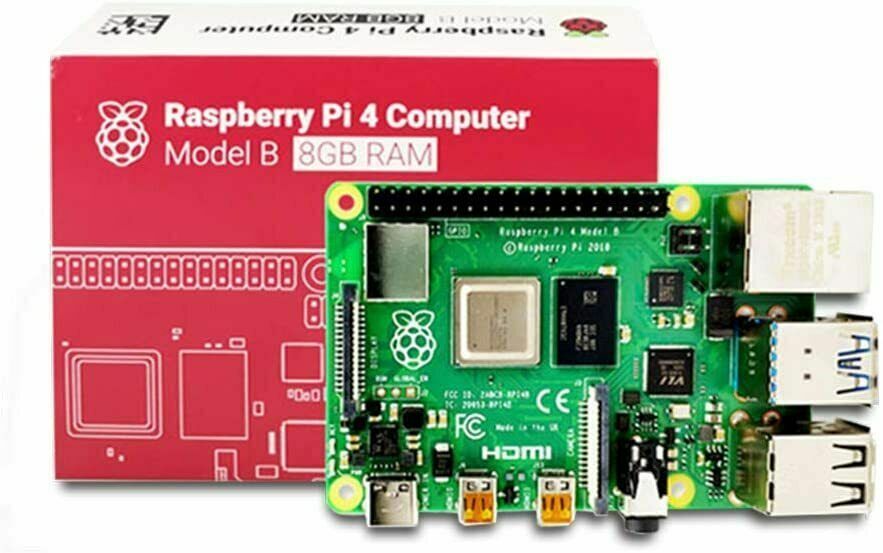
Raspberry Pi 4 8GB DDR4 RAM Single Board Computer - RPI4-MODBP-8GB
$46,998.00
Add to cartRecommended for You

Unlock Your Potential Dustproof Shockproof V250w Usb Flash Drive Usb 2.0 Interface Key Ring Design Convenient Metal Pendrive + Otg Adapter For Data Sharing 128GB
$48.70
Add to cart
Anker - Powerport III Nano Pro Duo 40W Fast Wall Charger with Dual 20W USB-C Ports for iPhone 15 and Samsung - White
$70.50
Add to cart
Irresistible Deals Light Up Transparent Car Toy For Kids 1:32 Electric Universal Inertia Car Toys With Colorful Moving Gears Music Light For Kids Birthday Gifts Inertia gear train
$22.80
Add to cart
Transform Your Life Today USB Fast Wall Charger Block 4-Interface Pd Power Adapter Fast Charging Plug Box Brick Cube US Plug Orange
$49.40
Add to cartRelated products
-

4040 handicraft laser engraving machine computer acrylic non-metal laser cutting machine
$903.76 -

Apple 10.2″ iPad 9th Gen 64GB Space Gray Wi-Fi Tablet (MK2K3LL/A)
$434.80 -
SALE WAINLUX K6 3000mW Mini CNC Laser Engraver
Original price was: $128.37.$127.16Current price is: $127.16. -
HP ProDesk 600 G5 Microtower PC Desktop Intel Core i7 32GB DDR4 RAM 1TB SSD
$997.50

Reviews
There are no reviews yet.