Allows customization of temperature and compressor delay for added safety
Easy to use with simple key press settings
Suitable for refrigeration and heating equipment
Buy more, save more Buy 2–4 of this item and save 5%. Buy 5 or more of this item and save 10%. Discount is automatic in your cart on regular-priced items. It cannot be combined with coupon codes or sale prices.
Country suggested using IP or browser language; you can change it. Shipping is confirmed at checkout.
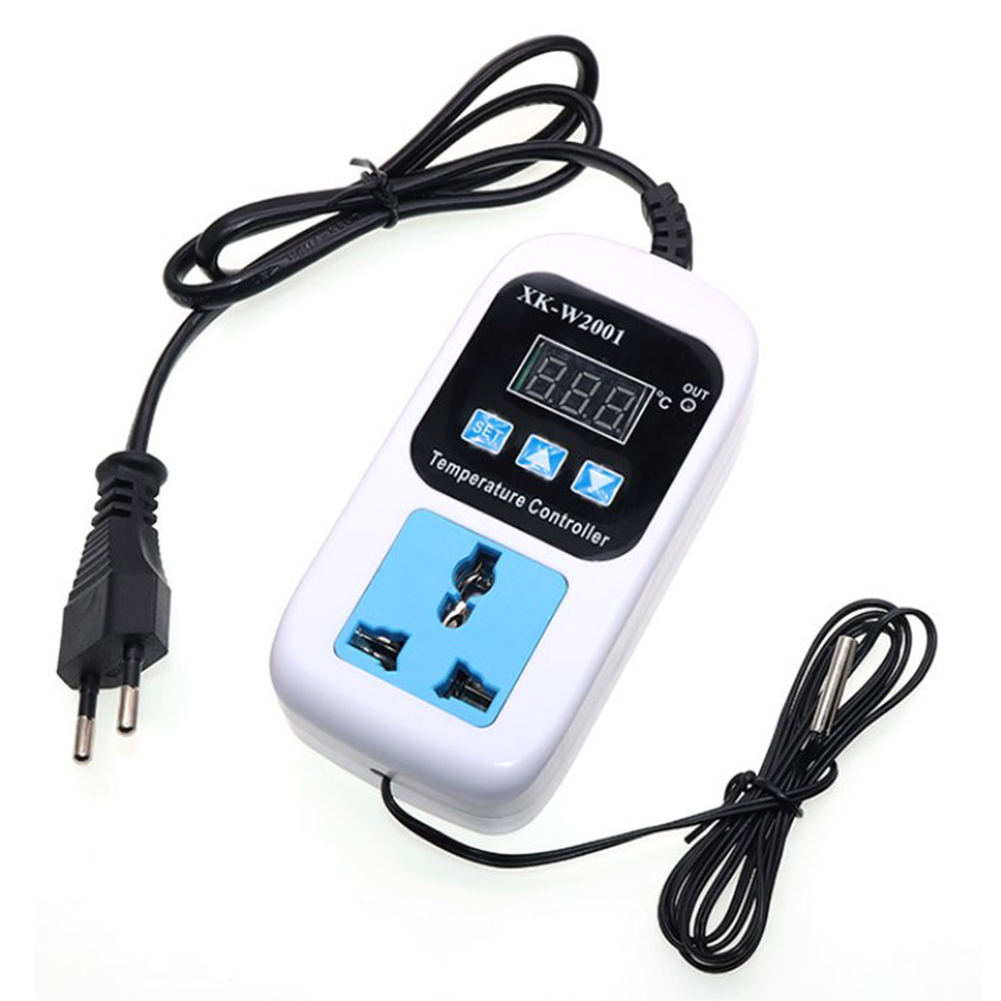
Intelligent Digital Display Electronic Temperature Control Switch Socket Set – SMY-W2001, 1 unit,
How to Use the SMY-W2001 Temperature Controller
Step 1: Installation
Plug in the Temperature Controller into a standard electrical socket.
Connect your refrigeration or heating equipment to the Temperature Controller using the appropriate socket.
Make sure the equipment is properly connected and secured.
Step 2: LCD Display
The LCD display provides a clear view of the temperature and shows relevant information about the current settings and status. This display will help you monitor the condition of your equipment in an instant.
Step 3: Temperature Customization
Press the “Set” button to access the temperature customization mode.
Use the arrow keys to increase or decrease the desired temperature.
Once you have set the temperature, press the “Set” button again to confirm and save the settings.
Step 4: Compressor Delay
To set a delay for the compressor, press the “Delay” button.
Use the arrow keys to adjust the delay time as per your requirement.
Press the “Delay” button again to confirm and save the settings.
Step 5: Using Other Functions
The SMY-W2001 Temperature Controller offers additional features that you can access by pressing the corresponding buttons:
“Timer” button allows you to set a specific time duration for the equipment to run.
“℃/℉” button toggles between Celsius and Fahrenheit temperature units.
Step 6: Monitoring and Adjusting
Monitor the temperature displayed on the LCD screen and make adjustments if needed using the arrow keys. The Temperature Controller will maintain the temperature within the range you have set, ensuring the optimum operation of your refrigeration or heating equipment.
Step 7: Power On/Off
Power on the Temperature Controller by pressing the “Power” button and power off by pressing and holding the “Power” button for a few seconds.
By following these simple steps, you can easily set up and use the SMY-W2001 Temperature Controller to control the temperature of your refrigeration or heating equipment.
, ,
Related
Weight
5 lbs
Reviews
There are no reviews yet.
Only logged in customers who have purchased this product may leave a review.















 English
  French
  Spanish
  German
  Portuguese
  Arabic
Reviews
There are no reviews yet.