
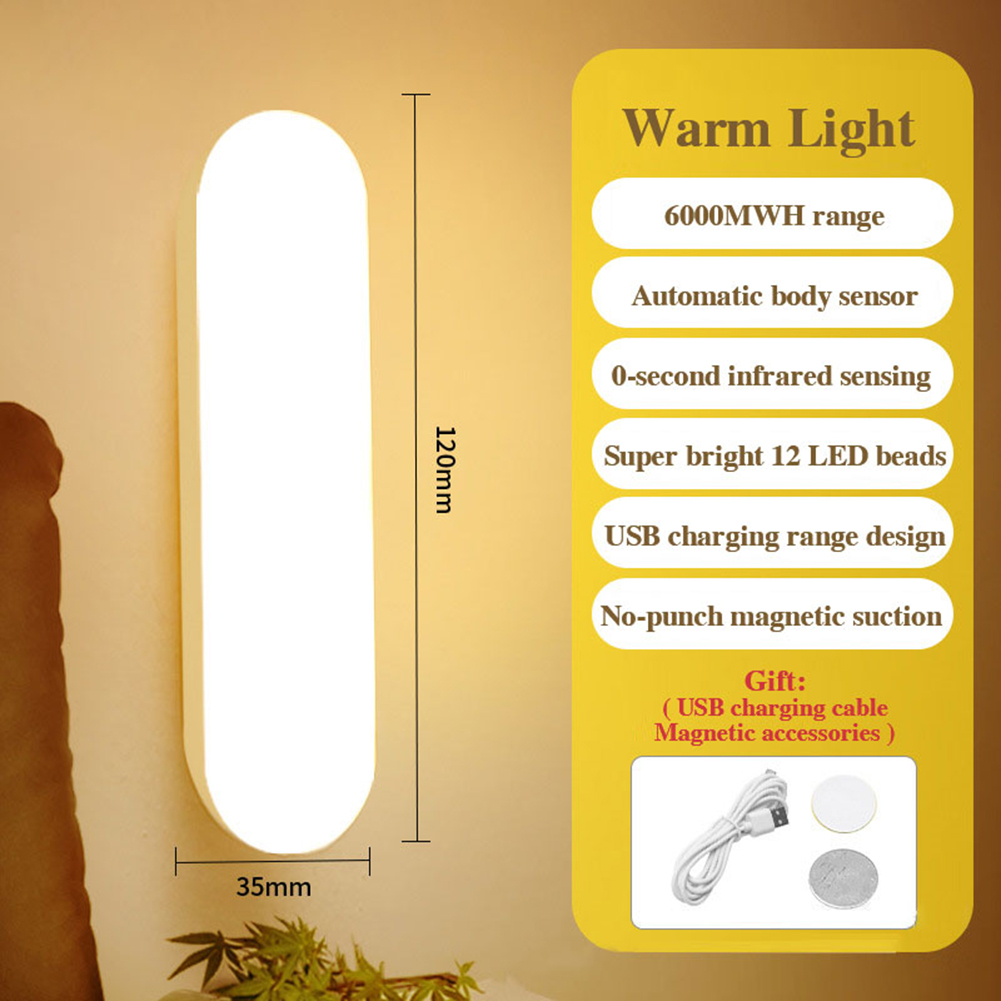


USB Rechargeable Motion Sensor LED Wall Light with Intelligent Night Light for Home Bedroom Hallway – Warm Light,
How to Use the Intelligent Night Light
Step 1: Charging the Light
- Connect the provided USB cable to the night light.
- Plug the other end of the USB cable into a USB power source (e.g., wall adapter, computer, power bank).
- Allow the light to fully charge until the indicator light turns green. This may take around 2-3 hours.
Step 2: Installation
- Decide where you want to install the night light. It can be used in various places such as the bedroom, hallway, or bathroom.
- Ensure the surface is clean and dry.
- Peel off the protective backing from the adhesive patch on the back of the light.
- Stick the light firmly to the desired location.
Step 3: Using the Motion Sensor
- Once installed, the light will automatically turn on when it detects motion in a dark environment.
- It will stay on for approximately 0 seconds after the last detected motion.
- If there is sufficient ambient light, the light will not turn on even if motion is detected.
Step 4: Adjusting the Light
You can adjust the brightness of the light by covering partially or fully the built-in light sensor with your hand or an object. Experiment to find the desired brightness level.
Step 5: Recharging the Light
- When the light starts to dim or the indicator light turns red, it’s time to recharge the light.
- Repeat Step 1 to recharge the light. Ensure it’s fully charged before use.
Enjoy the convenience and energy-saving benefits of the Intelligent Night Light in your home!
, ,








Reviews
There are no reviews yet.