
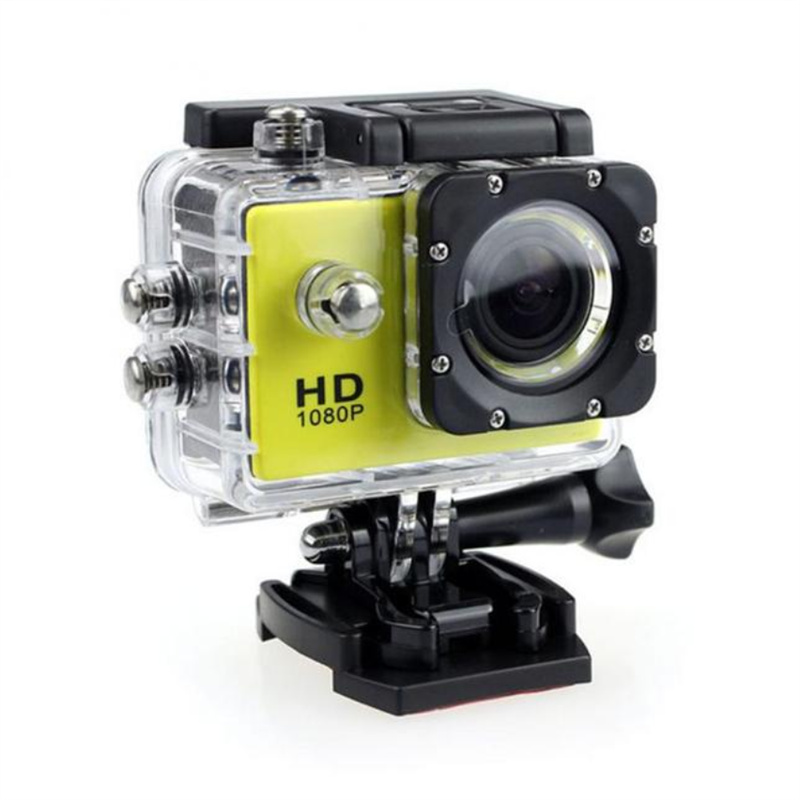

Yellow Multifunctional 4K HD SJ4000 Underwater DV Camera – Waterproof Diving Camcorder for Outdoor Action (30m),
How to Use the Outdoor Action Camera
Preparation
- Make sure the camera is fully charged by connecting it to a power source using the provided USB cable.
- Insert a compatible memory card (up to 32GB) into the memory card slot.
- Ensure the camera is properly sealed in the water-resistant casing for underwater use.
Recording Videos
- Press the “Power” button to turn on the camera.
- Press the “Mode” button repeatedly until “Video Mode” is selected.
- Press the “Shutter” button to start recording. The camera will automatically save the video as a file.
- Press the “Shutter” button again to stop the recording.
Taking Photos
- Make sure the camera is in “Photo Mode” by pressing the “Mode” button until it is selected.
- Aim the camera at the subject and press the “Shutter” button to take a photo. The camera will automatically save the photo as a file.
Viewing Videos and Photos
- Connect the camera to a computer using the provided USB cable.
- Locate the camera’s storage drive on your computer.
- Open the drive to access the recorded videos and photos.
Other Functions
- HDMI Output: Connect the camera to a TV or monitor using an HDMI cable to view videos and photos on a larger screen.
- Web Camera: Connect the camera to a computer and select the “PC CAMERA” mode to use it as a webcam for video chatting or live streaming.
Tips
- Remember to charge the camera regularly to ensure optimal performance.
- Always check that the water-resistant casing is properly sealed before using the camera underwater.
- Experiment with different shooting modes and angles to capture the best footage.
- Refer to the user manual for detailed instructions on additional features and settings of the camera.
, ,

Reviews
There are no reviews yet.