
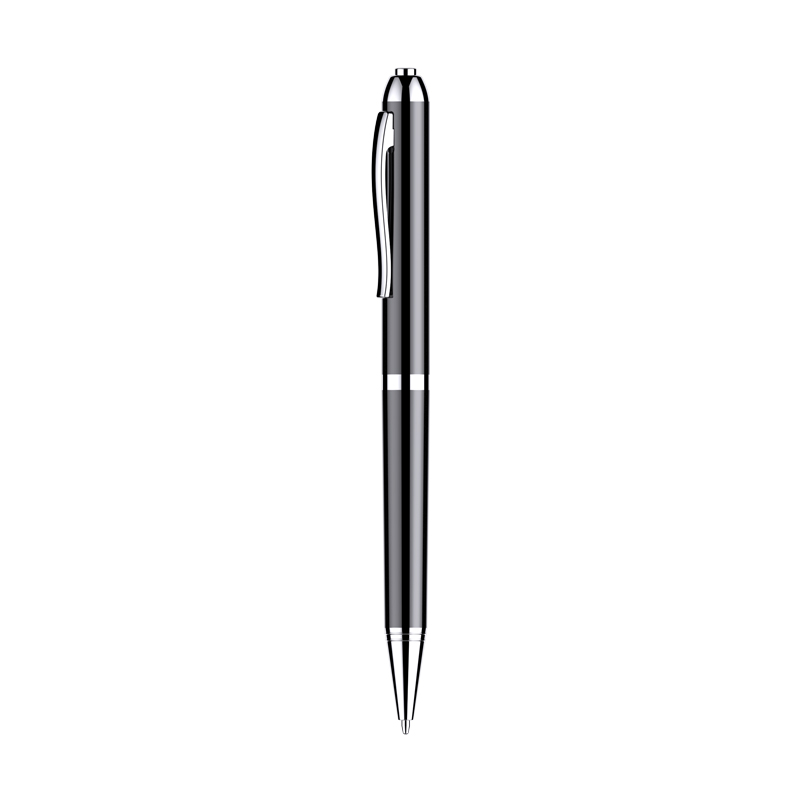

HD Noise Reduction Business Meeting Recording Pen Q90b with LED Light Player for Student Class – 16GB,
How to Use the Q90b Recorder HD Noise Reduction Business Meeting Recording Pen with LED Light Player
Introduction
The Q90b Recorder HD is a versatile recording pen with noise reduction capabilities, perfect for business meetings and student classes. With a sleek design and easy-to-use features, this pen is a must-have for anyone in need of a reliable and discrete recording device.
Getting Started
- Charge the pen by connecting it to a computer or a power source using the included USB cable. The LED light will turn red while charging and will turn off once fully charged.
- To turn on the pen, press and hold the power button located on the side of the pen until the LED light turns green.
- The pen is now ready to use!
Recording
- To start recording, simply press the record button located on the top of the pen. The LED light will start blinkiing to indicate recording is in progress.
- To stop recording, press the stop button also located on the top of the pen. The LED light will stop blinking and remain green.
- The pen automatically splits recordings into separate files for convenience.
Playback
- To playback a recording, connect the pen to a computer using the USB cable.
- Locate the pen in your computer’s file explorer and open it.
- Inside the pen’s directory, you will find the recorded files with their respective time stamps.
- Select the file you want to playback and open it with a media player that supports the following formats: WMA, OGG, APE, FLAC, WAV, AAC-LC, ACELP.
Deleting Recordings
- To delete a recording, locate the file you want to delete on the pen while connected to your computer.
- Right-click on the file and select “Delete” from the menu. Confirm the deletion if prompted.
Additional Features
- The pen has a built-in LED light that can be used as a flashlight.
- The pen has a 16GB capacity, allowing for storage of up to 90 hours of recordings.
- The pen has a 30-day standby time, making it perfect for long-term use.
With these simple instructions, you can start using the Q90b Recorder HD Noise Reduction Business Meeting Recording Pen with LED Light Player with ease. Enjoy recording your business meetings and classes effortlessly!
, ,


Reviews
There are no reviews yet.